Dashboard
The Osmosis dashboard is a sidebar panel: your decks, what's waiting in each of them, and two buttons that open the wide surfaces — the Card Browser and Statistics — in the main area.
Open it by clicking the Osmosis dashboard icon in the left ribbon, or run Open dashboard from the command palette.
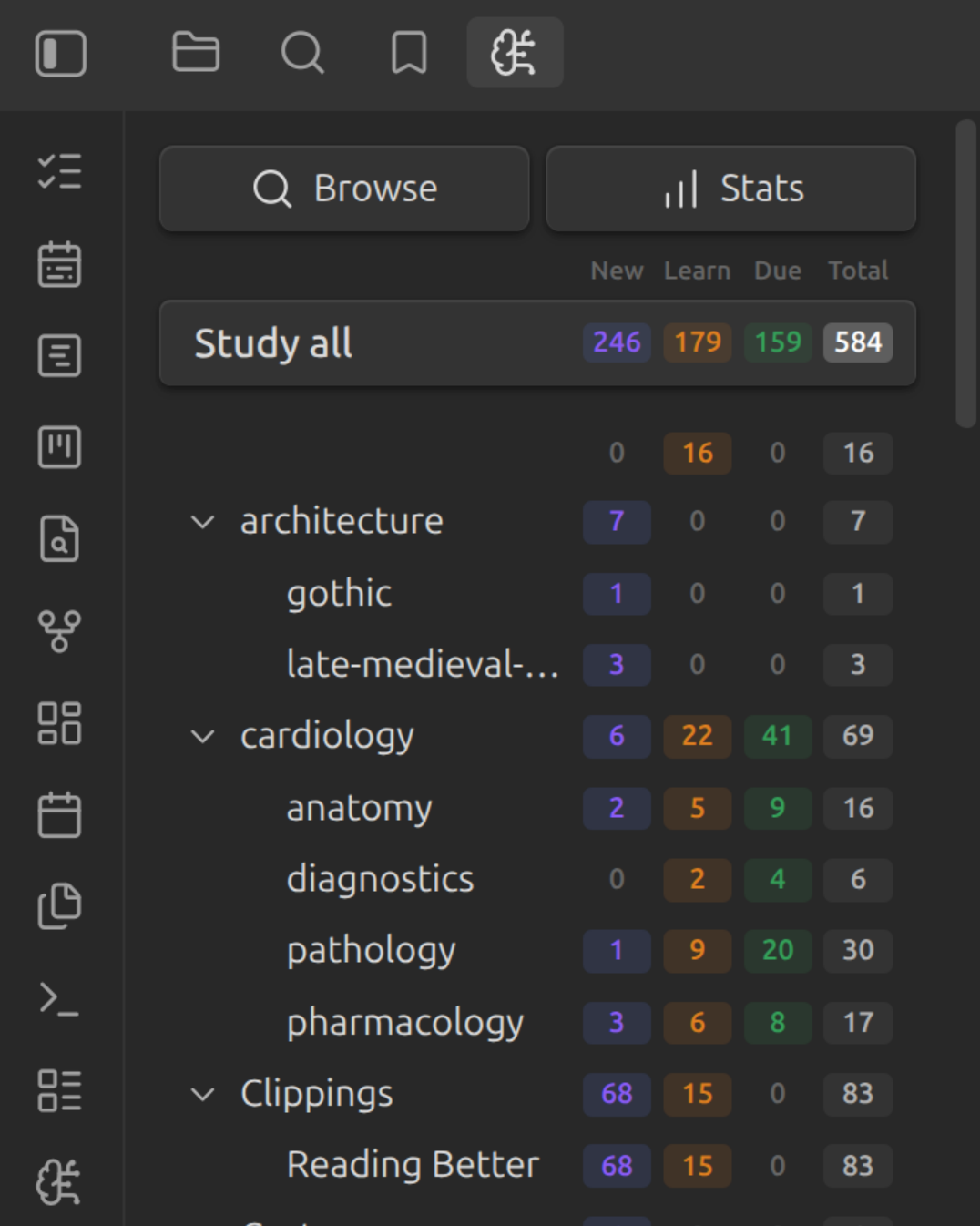
The Operator Bar
Two buttons sit at the top of the panel:
| Operator | Opens |
|---|---|
| Browse | The Card Browser — every card in the vault, as a Bases view |
| Stats | The Statistics dashboard — heatmap, graphs, and retention |
Both open as ordinary Obsidian tabs, so they can be pinned, split, dragged into a side panel, and restored across restarts. If the tab is already open, the button reveals it instead of opening a second copy.
There's no Add button
That's on purpose: Obsidian is the card editor. Cards are written in your notes — as fences, line cards, or with Rapid Flashcard Mode — and image occlusion starts from an image's own context menu.
Deck Counts
Below the operator bar, Study all and the deck tree share four columns:
| Column | Meaning |
|---|---|
| New | Cards you haven't seen yet |
| Learn | Cards in learning or relearning |
| Due | Review cards due now |
| Total | New + Learn + Due |
Total is what's waiting now, not how many cards the deck holds. A card scheduled for next week is in none of the three columns, so it isn't in the total either.
Click any deck to study just that deck and its sub-decks; click Study all for everything. Counts respect your daily limits, and excluded cards never appear in them.
The Deck Tree
Decks nest to mirror your vault's folder structure, and intermediate folders that hold no cards of their own are pruned away, so you only see levels that mean something. See Decks for how a card is assigned to one.
If the panel is empty, no note has opted in yet — add osmosis-cards: true to a
note's frontmatter, or set up include folders and tags.
Guides
-
Find, filter, and fix any card in your vault — suspend, reset, re-deck, delete
-
Seventeen panels of review history, retention, and scheduling load