Card Types
Five card types come out of the same osmosis fence, plus
image occlusion from an image's context menu and
line cards from the note's own lines.
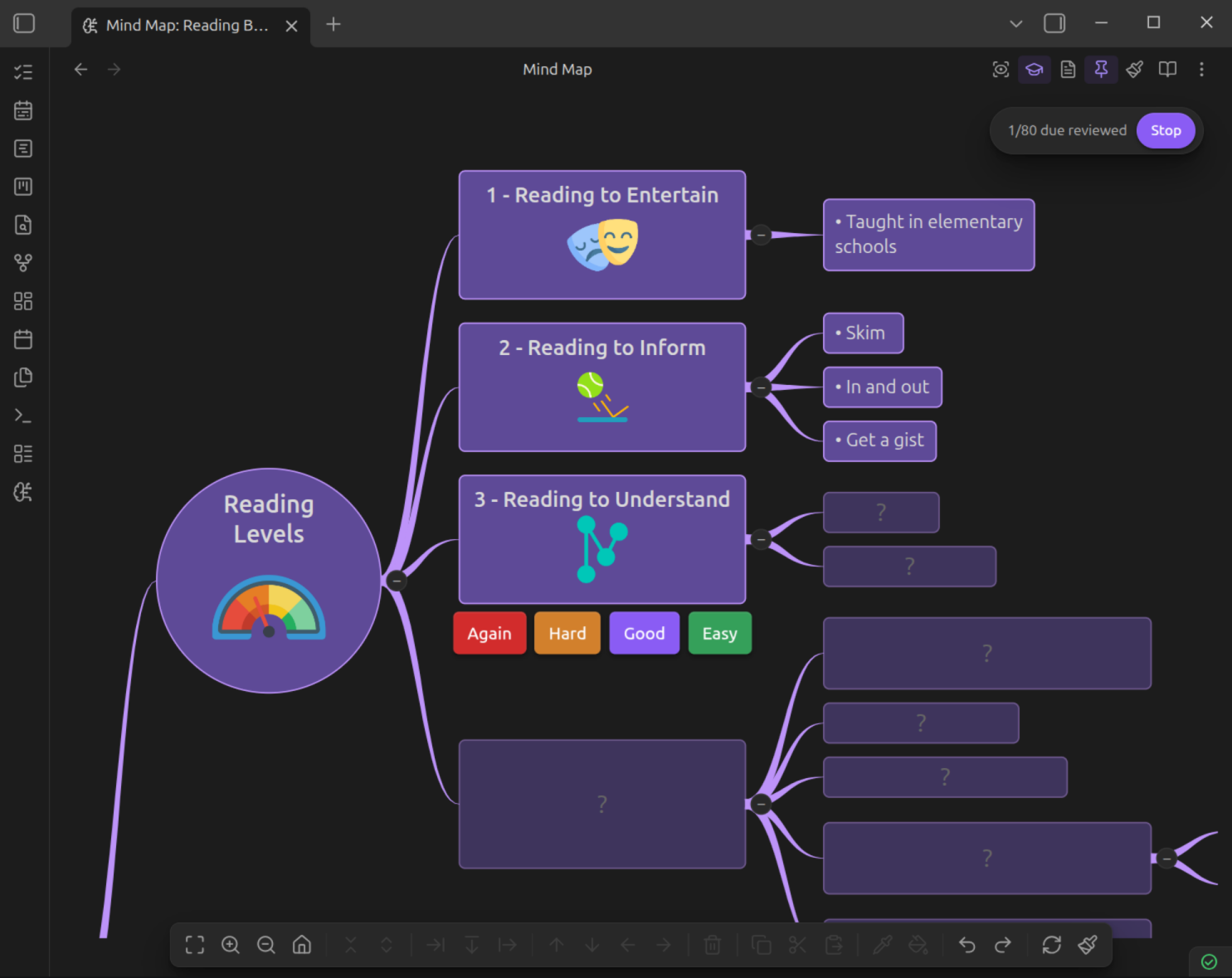
Every type studies in every mode. A fence that fans out into three cloze cards asks three questions and takes three ratings whether you meet it in the sequential modal, in the note, or on the mind map.
Basic (Front / Back)
The simplest card. Front and back separated by ***:
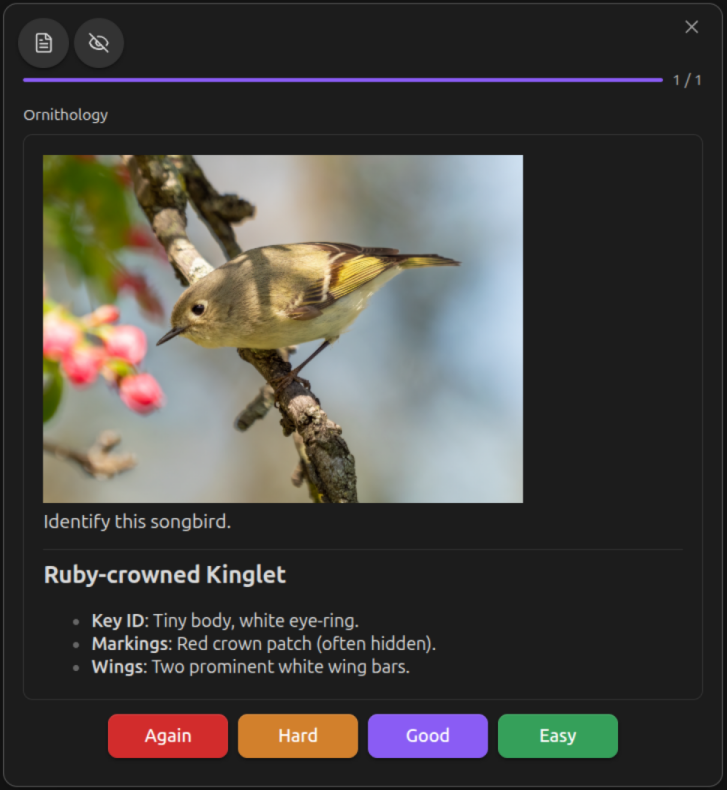
Both front and back support full markdown — bold, italic, code, images, LaTeX.
Bidirectional
Generates two cards, one in each direction. Add bidi: true:
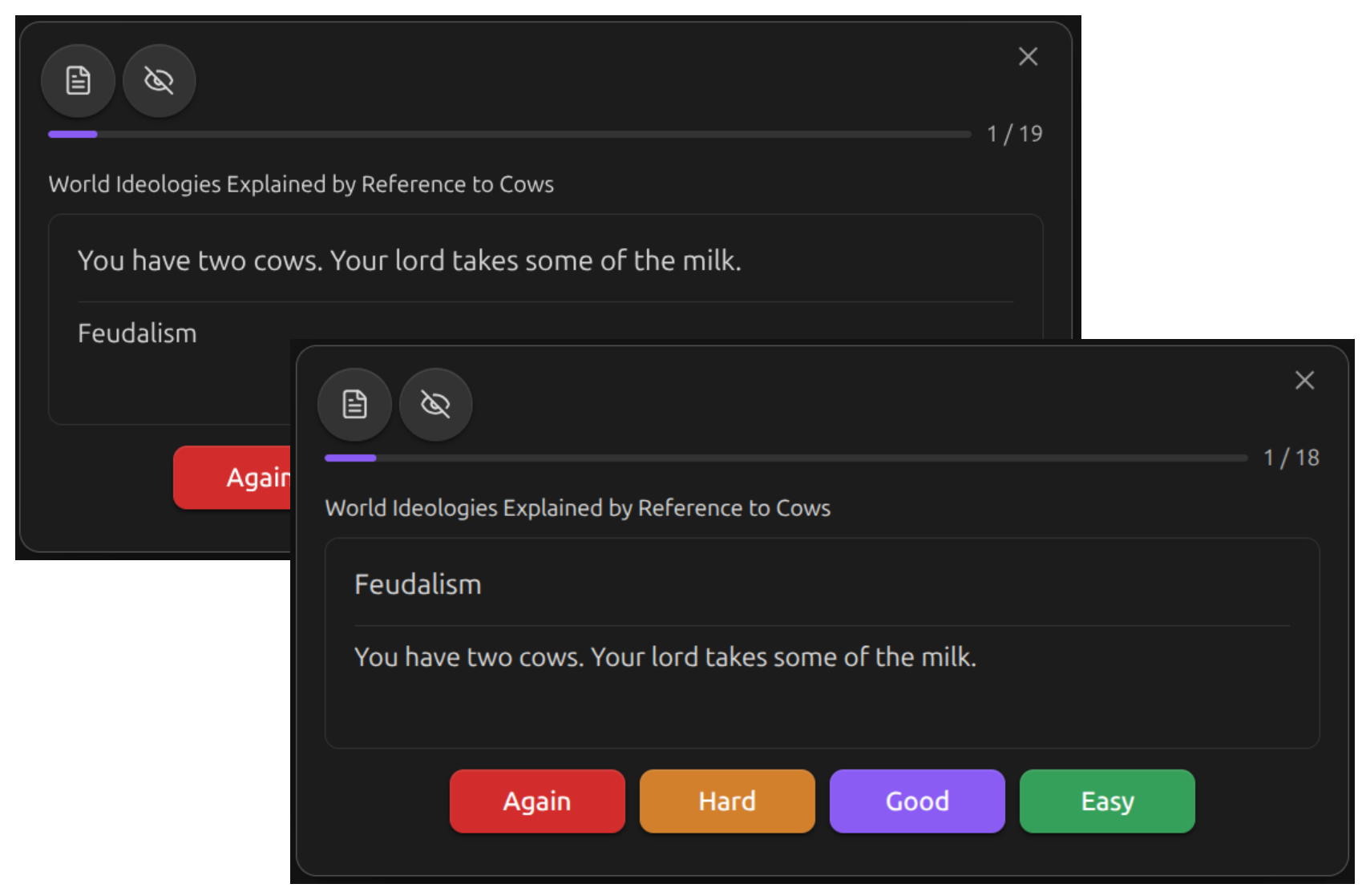
This creates:
- Forward: "Bonjour" "Hello"
- Reverse: "Hello" "Bonjour"
Each direction is scheduled independently.
Type-In
Requires you to type the answer instead of flipping the card. Add type-in: true:
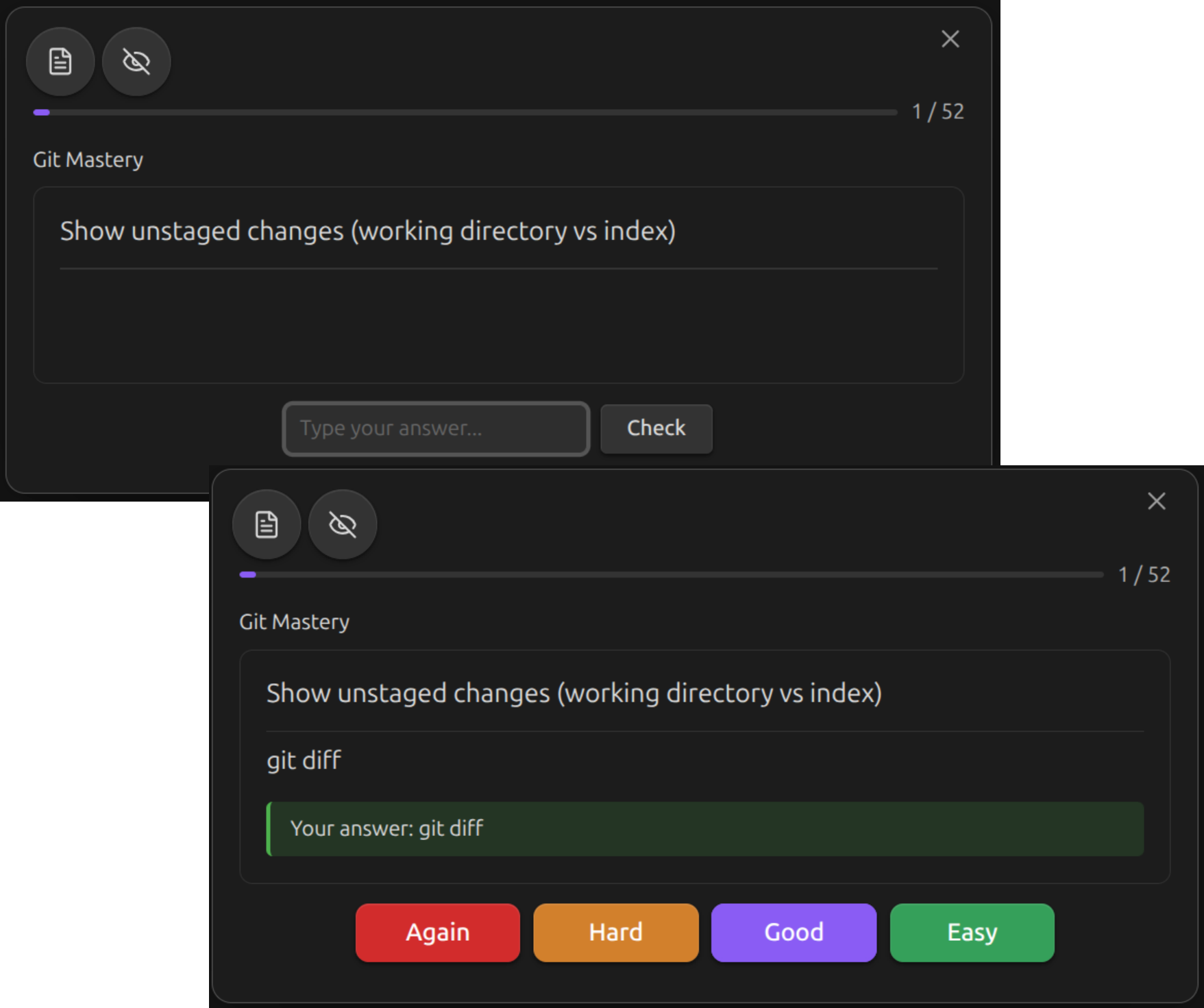
You can combine both flags for bidirectional type-in cards:
Cloze Deletion
Blank out terms in a sentence using ==term==, **term**, or :::term::: markers:
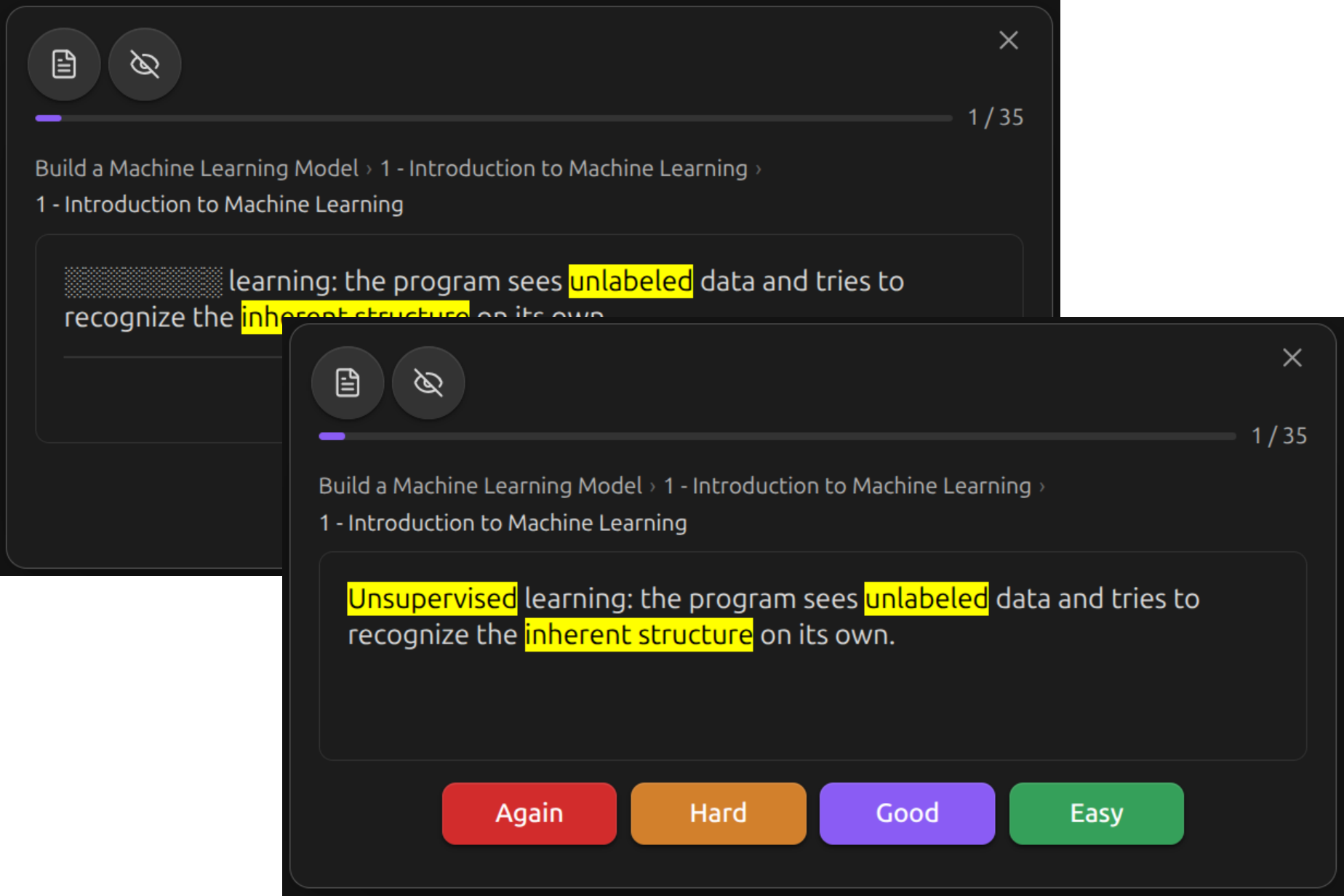
This generates three cards, one per deletion:
| Card | Front |
|---|---|
| 1 | The ________ was signed in 1919, ending World War I |
| 2 | The Treaty of Versailles was signed in ________, ending World War I |
| 3 | The Treaty of Versailles was signed in 1919, ending ________ |
Each card blanks one term while leaving the others visible. All cards share the same back: the full text.
All three delimiter styles are interchangeable, so pick whichever reads best alongside your prose:
==term==— Obsidian-style highlight; the yellow mark survives on the back.**term**— bold; same idea if you prefer bold emphasis.:::term:::— plain. Markers are stripped from both sides, leaving no visual residue.
Note
No *** separator is needed for cloze cards. If you include one, the cloze markers are ignored and the fence is treated as a basic front/back card.
Grouping clozes
Prefix any marker with c<N>: to blank several terms together as a single card. Occurrences that share a number are revealed together.
This produces one card (not two) with both occurrences of "Paris" blanked at once.
Grouping works with any combination of delimiters — ==c1:…==, **c1:…**, and :::c1:…::: with the same number all collapse to one card.
User-chosen numbers are preserved verbatim on card IDs (…-c1, …-c5), so adding a new cloze later won't renumber existing cards. Unlabeled markers get numbers above the largest labeled one, in source order.
Code Cloze
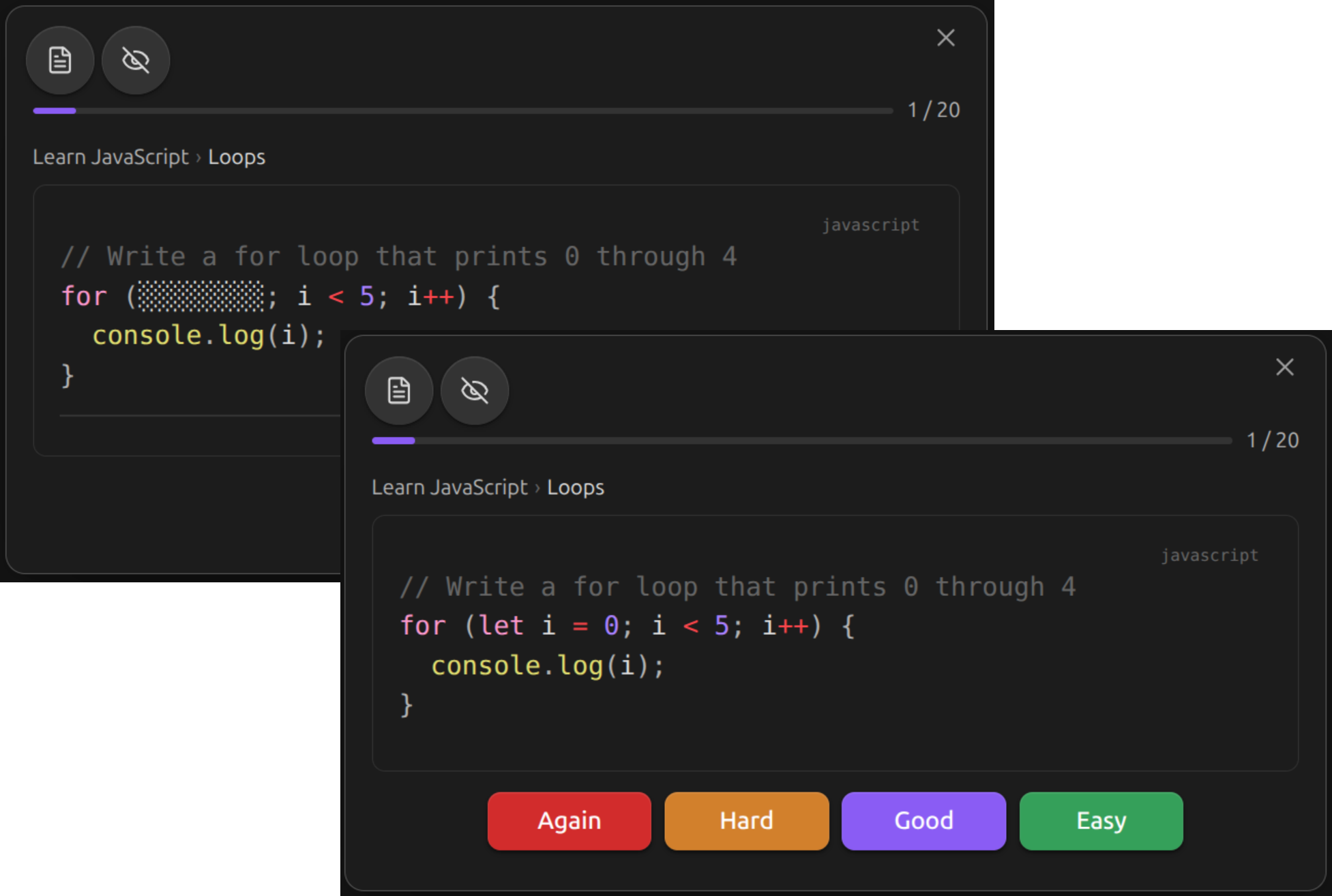
Blank out lines of code using comment annotations. Works with any programming language.
Single Line
Add osmosis-cloze in a comment at the end of the line:
The marked line shows as ________ on the front (preserving indentation). The comment marker is stripped from the back.
Multi-Line Region
Wrap a region with osmosis-cloze-start and osmosis-cloze-end:
````osmosis
```python
def fibonacci(n):
    if n <= 1:
        return n
    # osmosis-cloze-start
    a, b = 0, 1
    for _ in range(2, n + 1):
        a, b = b, a + b
    return b
    # osmosis-cloze-end
```
````
The entire region becomes a single ________ on the front. Marker lines are removed from both front and back.
Multiple Regions
You can mix single-line and multi-line markers in the same fence. Each region becomes a separate card:
````osmosis
```python
def fibonacci(n):
    if n <= 1:
        return n  # osmosis-cloze
    # osmosis-cloze-start
    a, b = 0, 1
    for _ in range(2, n + 1):
        a, b = b, a + b
    return b
    # osmosis-cloze-end
```
````
This generates two cards — one blanking the return n line, and one blanking the loop body.
Inline Clozes
Blank out individual tokens inside a line of code with :::c<N>:text:::, where N is a group number:
Each distinct group number becomes its own card. Tokens that share a number are blanked together and revealed together — useful when the same identifier appears in several places.
The example above generates two cards:
| Card | Front |
|---|---|
| 1 | def ░░░░░░░░(name): … return f"Hello, name" |
| 2 | def greet(░░░░░░░░): … return f"Hello, ░░░░░░░░" |
On every card, markers from other groups are stripped to plain text, so only the targeted tokens are obfuscated.
You can also omit the number — :::text::: — to make each occurrence its own one-off card without grouping.
Grouping line-level and multi-line code clozes
Line and region markers accept the same -c<N> suffix. Any markers that share a number collapse into a single card:
````osmosis
```python
x = 1  # osmosis-cloze-c1
# osmosis-cloze-start-c1
y = compute()
z = y + 1
# osmosis-cloze-end-c1
result = x + z
```
````
This generates one card with all three hidden lines blanked together and result = x + z visible.
Mixing prose and code clozes in one fence
Prose-level and code-level clozes live happily inside the same osmosis fence. Markers sharing a c<N> label across prose and code still merge into a single card:
````osmosis

This is a regular :::c3:cloze:::.

```python
def :::c1:greet:::(:::c2:name:::):
    return f"Hello, :::c2:name:::"
```
````
This produces three cards:
c1:greetblanked in the code; prose visible.c2: bothnameoccurrences blanked together; prose visible.c3: the prose cloze blanked; the code visible.
Combining with line-level clozes
Inline and line-level markers can coexist in the same code block. Lines covered by osmosis-cloze / osmosis-cloze-start…osmosis-cloze-end are blanked as whole-line cards; their inline :::…::: markers, if any, are ignored.
Supported Comment Styles
The osmosis-cloze marker works with any comment syntax:
| Language | Syntax |
|---|---|
| Python, Ruby, Shell | # osmosis-cloze |
| JavaScript, Java, C, Rust, Go | // osmosis-cloze |
| SQL | -- osmosis-cloze |
| CSS, C (block) | /* osmosis-cloze */ |
| HTML, XML | <!-- osmosis-cloze --> |
Nesting code fences
When your card contains a code fence, use four backticks for the outer osmosis fence so the inner fence closes properly.
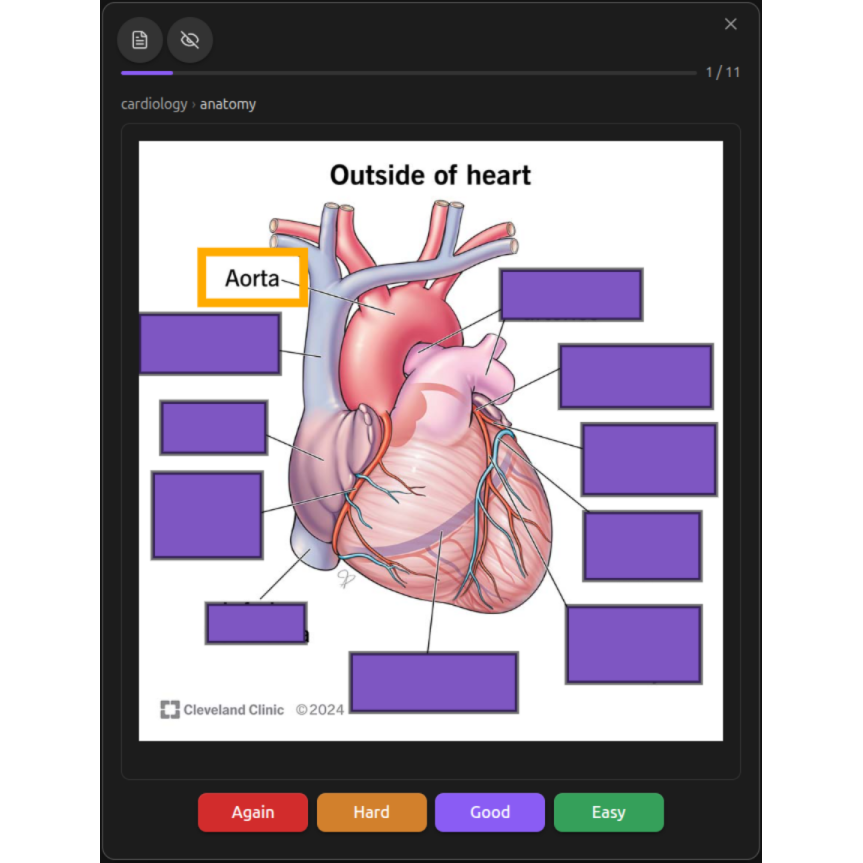
Image Occlusion
Right-click an image and choose Create image occlusion to draw masks over it. Each group of masks is one card, scheduled like a cloze deletion. See Image Occlusion.
Line Cards
Line cards turn a whole note - or a part of a note - into flashcards. Every line becomes its own scheduled card, with no fences and no duplicate authoring. See Line Cards.
Inserting Cards via Command Palette
Use the command palette for quick card insertion:
| Command | Inserts |
|---|---|
| Insert basic card | Front/back template |
| Insert bidirectional card | With bidi: true |
| Insert type-in card | With type-in: true |
| Insert bidirectional type-in card | Both flags |
Each of these also adds osmosis-cards: true to the note if it isn't opted in
yet, so an inserted card is a real card immediately.
For typing several cards in a row — especially on a phone — turn on Rapid Flashcard Mode instead and let blank lines do the work.