Image Occlusion
Cover parts of a diagram and recall what's underneath — image occlusion built on Osmosis's own cloze model and stored in the note the image already lives in.
Anatomy diagrams, circuit schematics, UI mockups, maps, chord charts, exploded views: anything where where a thing is is part of what you're learning.
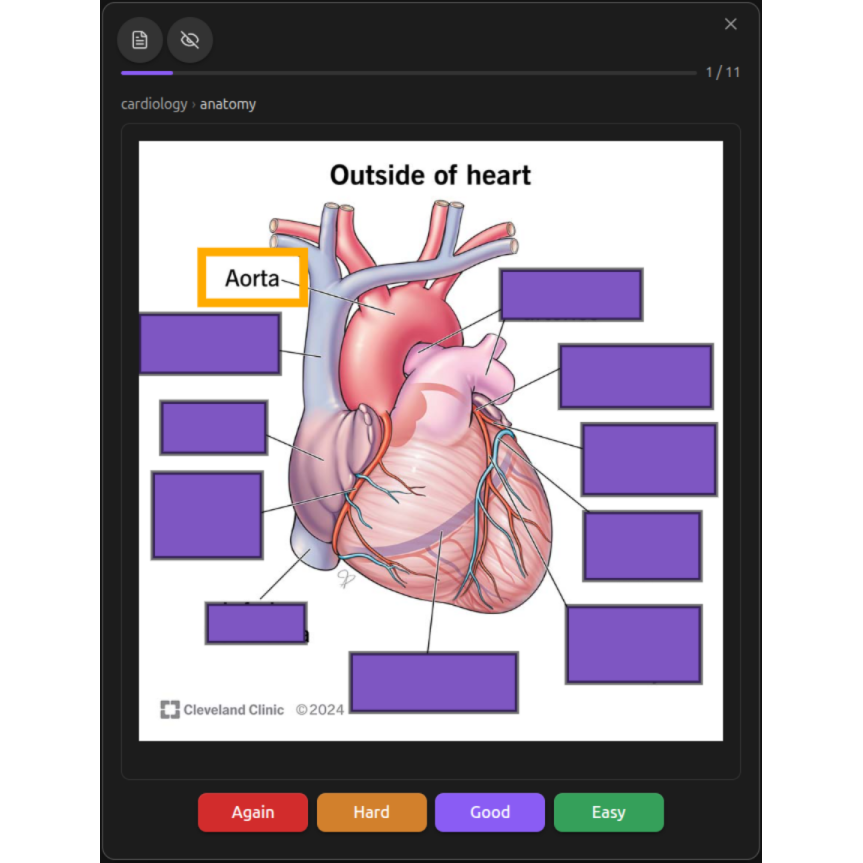
Creating Occlusions
- Put an image in a note —
![[diagram.png]], either on its own line or inside anosmosisfence - Right-click the image (or put the cursor on its line and run Create image occlusion from the command palette)
- Draw masks over the parts you want to hide
- Save
Right-clicking an image that already has masks reopens the editor on them, so occlusions are always editable.
Both card carriers work
An embed inside an osmosis fence becomes a fence card. An embed on an
ordinary line becomes a line card — Osmosis tags the line
with a ^os- block ID and opts the note in (osmosis-cards: true) when you
save, so nothing has to be set up first. Same editor, same masks; the
difference is only where the data is written.
The Editor
| Tool | What it does |
|---|---|
| Select | Pick, move, resize, and rotate masks |
| Rectangle | Drag to draw a rectangular mask |
| Ellipse | Drag to draw an elliptical mask |
| Polygon | Click each corner, Enter to close, Esc to cancel |
| Text | Click to place a text annotation on the image |
| Pan | Drag the canvas when zoomed in — the way around on a touchscreen |
| Action | Button | Keyboard |
|---|---|---|
| Duplicate | Ctrl+D | |
| Delete shape | Del or Backspace | |
| Undo | Ctrl+Z | |
| Redo | Ctrl+Shift+Z or Ctrl+Y |
Alignment buttons align the selection left, centre, right, top, middle, or bottom. Zoom in, zoom out, and zoom-to-fit sit beside them, along with toggle translucency, which makes masks semi-transparent so you can see what you're covering.
Rotate by dragging a selected mask's rotation handle; hold Shift to snap to 15°.
Groups Are Cards
Every mask belongs to a group, and one group is one card. Masks that share a group are hidden and revealed together — the same rule as cloze grouping, because it is the same mechanism underneath.
Use the group dropdown in the toolbar to put a mask in an existing group, or New group to start another. Three masks in three groups make three cards; three masks in one group make one card asking about all three at once.
Each group is scheduled independently by FSRS, just like the deletions in a multi-cloze sentence.
The Two Modes
| Mode | Front | Back |
|---|---|---|
| Hide all, guess 1 | Every mask painted, the target marked | Target revealed; the rest still covered |
| Hide 1, guess 1 | Only the target mask painted | Everything visible |
Hide all is for learning a diagram cold — no neighbouring labels to give the answer away. Hide 1 is for testing a single fact in full context. The mode is per image, set from the toolbar dropdown.
Studying Occlusions
Occlusion cards study in all three study modes: in the sequential modal, in place in the note's reading view, and inside a mind map node in spatial study. A node or a section with three occlusion groups due asks three questions and takes three ratings, wherever you study it.
On reveal, the revealed group's masks are outlined so you can see which part of the picture you were being asked about.
Tapping a covered image doesn't open the image viewer
Masks intercept the tap, so revealing on a phone works the way it does on desktop rather than launching Obsidian's lightbox.
Where the Masks Are Stored
Masks are card data, so they live where that card's data already lives — no sidecar files, no separate database.
In a fence
An embed inside a fence carries a {label} binding it to a shape set in the
fence header:
```osmosis
id: bridge
c1:
  due: 2026-08-12T09:00:00
  stability: 4.21
  state: review
occlude-a:
  mode: hide-all-guess-one
  shapes:
    - group: c1
      kind: rect
      x: 0.31
      y: 0.22
      w: 0.14
      h: 0.06

![[bridge-cross-section.png]]{a}
```
The {a} label is stripped before rendering, so it never shows up on a card.
Labels — rather than filenames or position — are what let one fence hold several
occluded images, including the same image twice.
On a line
A line card has no label to bind: the block ID already identifies the line, and the line holds one embed.
osmosis-schedule:
  os-ek322j:
    occlude:
      mode: hide-all-guess-one
      shapes:
        - group: c1
          kind: rect
          x: 0.31
          y: 0.22
          w: 0.14
          h: 0.06
    c1:
      due: 2026-08-12T09:00:00
      state: review
Coordinates
All coordinates are normalised 0–1 against the image's own dimensions, so
masks survive resizing, retina variants, and Obsidian's |300 sizing suffix.
rect uses x y w h; ellipse uses x y rx ry; poly uses a points list.
Renaming an occluded image
Obsidian doesn't index links inside code fences, so renaming an image can't
update an embed sitting in an osmosis fence on its own. Osmosis handles
that itself — fences are scanned on rename and rewritten. Line-card embeds
are ordinary Markdown, so Obsidian already handles those.